
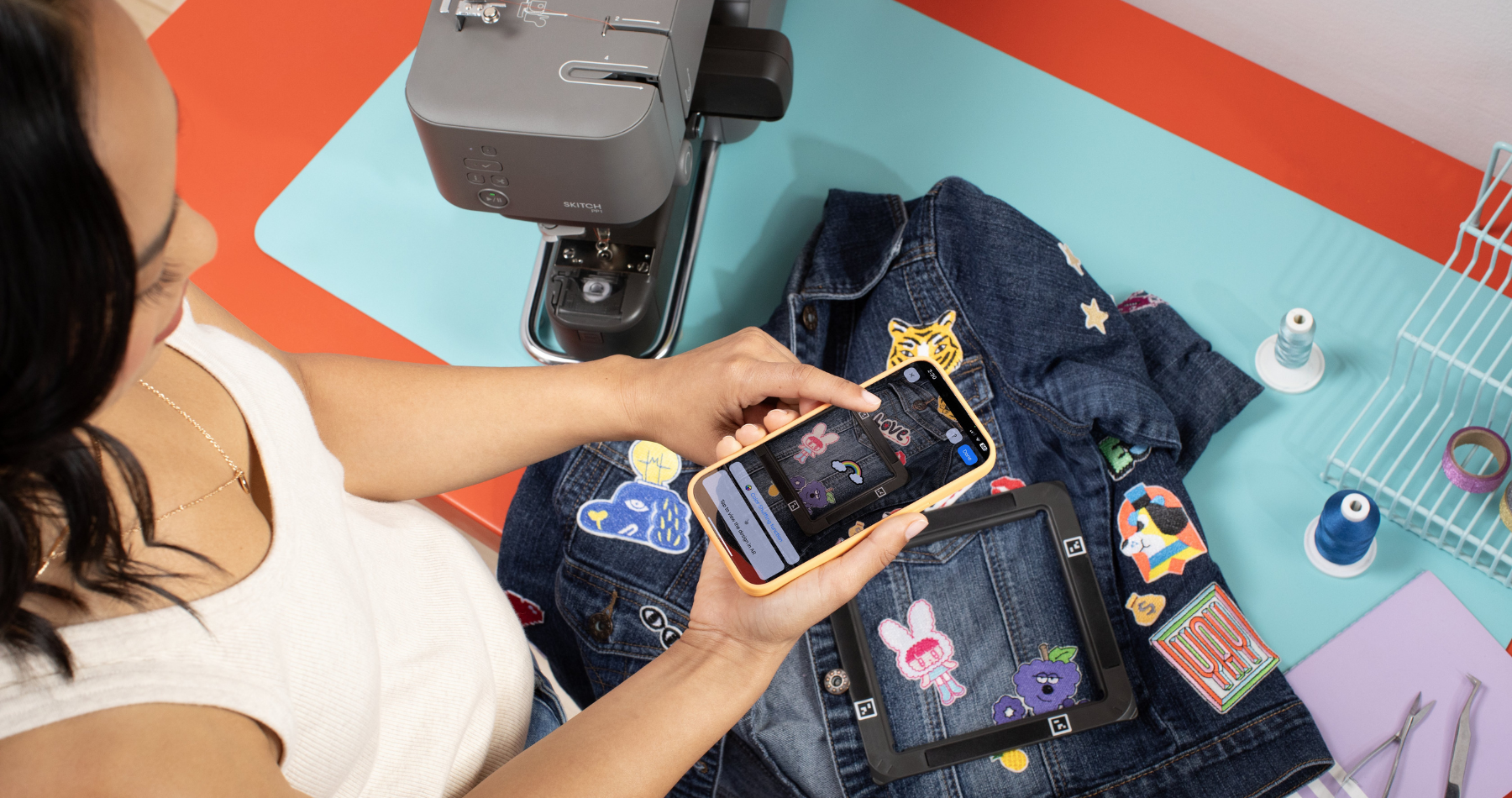
Brother Artspira offers a free and different approach to creating your own embroidery designs, cutting files, or sublimation artwork.
Traditional embroidery and cutting design programs are powerful, but they’re also expensive, complicated and exclusive to PC which can make it difficult for beginners or hobby crafters to confidently create their own designs and experiment creatively.

Artspira is a mobile design app that allows you to create embroidery designs, cutting files, and printable artwork directly on your phone or tablet, which you can then send wirelessly to compatible Brother machines! Instead of requiring specialist design software or over-complicated file transfers, the app simplifies the creative process for everyone who wants to give it a go.
This guide explains what Artspira is, how it works, what you can create with it, and whether Artspira+ is worth considering if you want more advanced features.
What is Artspira?
Brother Artspira is a cloud-based design app developed to support a wide range of digital craft workflows, including embroidery, papercraft cutting, sublimation printing, and personalised sewing projects. The app is available for iOS and Android devices and connects directly to compatible Brother machines via wireless connection.
Unlike traditional embroidery software, which often requires installation on a desktop computer, Artspira allows users to design and edit projects entirely on mobile devices.
Artspira supports a range of creative outputs including:
- Embroidery stitch designs for Brother embroidery machines
- SVG-style cutting designs for ScanNCut machines
- Printable artwork suitable for sublimation and transfer projects
- Monograms, lettering, and decorative embellishments
Because the app is cloud-connected, designs can be stored online, edited across devices, and sent directly to machines without the need for USB drives or manual file conversion.
For many people, the app removes one of the most frustrating parts of digital crafting: managing file formats such as PES embroidery files or SVG cutting files manually.

Why was Artspira developed?
Historically, creating custom embroidery or cutting designs required learning specialised software such as embroidery digitising programs or vector illustration tools. While these tools are powerful, they often require a significant investment of both time and money before users feel confident enough to create their own designs.
Brother developed Artspira to make design creation more accessible, particularly for hobby crafters, home businesses, and creative makers who want to personalise projects without having to become professional designers!
The app focuses on simplifying key parts of the workflow:
- Reducing reliance on desktop software
- Simplifying image conversion processes
- Enabling wireless transfer between devices
- Providing templates and guided design tools
Artspira helps bridge the gap between beginner-friendly creativity and more advanced digital craft production.

What can you create with Artspira?
Artspira supports multiple craft types within one platform. Instead of using separate software for embroidery, cutting, and printing, users can manage different creative workflows in one place.
Embroidery designs
Create embroidery-ready designs using built-in drawing tools, lettering features, shapes, and templates. Your designs can be adjusted visually on screen, allowing you to resize, rotate, and position elements before sending them directly to your embroidery machine.
For example, if you were creating a personalised baby blanket, you could begin with a text-based design, adjust font styles and spacing, and preview how the finished embroidery will appear within the hoop area. Because the app is designed specifically for Brother embroidery machines, the technical preparation of stitch files is handled automatically in the background.
This removes the need to manually configure embroidery file formats such as PES files, which are usually needed by Brother machines.
Typical embroidery projects created using Artspira include:
- Personalised baby gifts
- Monogrammed clothing
- Embroidered home décor
- Logo embroidery for small businesses
- Decorative motifs for sewing projects
Converting images into embroidery designs
Many crafters want to transform photographs, logos, or illustrations into embroidery files but traditional software can be difficult to learn. One of the most exciting features of Artspira is the ability to convert images into stitch designs.
Artspira+ includes tools that help with image conversion and simplifies the process to make image-based embroidery more accessible for everybody.
Here are some examples:
- Turning children’s drawings into stitched keepsakes
- Converting pet photos into embroidered cushions
- Creating logo embroidery for Etsy or small business products
- Producing personalised gifts from meaningful images
Cutting files for papercraft and cardmaking
Artspira also functions as a cutting design tool for Brother ScanNCut machines, allowing you to create and edit cuttable artwork directly within the app.
Cutting files typically use vector-style outlines that guide the cutting blade. Instead of fiddling with vector illustration software or dedicated cutting machine platforms, Artspira allows you to draw shapes, add lettering, and convert line art into cutting paths that can be sent directly to a ScanNCut machine.
Papercraft and cardmaking applications include:
- Layered greeting cards
- Decorative toppers
- Scrapbooking embellishments
- Party decorations
- Gift tags and packaging elements
Because ScanNCut machines can also scan drawings, you can combine hand-drawn creativity with digital editing tools inside the Artspira ecosystem.

Sublimation and printable craft designs
Artspira can also be used to create printable artwork suitable for sublimation and transfer printing. Designs can be permanently transferred onto fabric, mugs, and coated materials using heat.
The Artspira app supports a broader multi-craft workflow where designs can be reused across different project types.
For example, a floral illustration could be used as:
- An embroidery motif
- A cut paper embellishment
- A sublimation print for a tote bag
This makes Artspira perfect if you enjoy working across different crafts!
Wireless workflow advantages
Gone are the days of confusing, time-consuming USB drives and manually importing designs! One of the main differences between Artspira and traditional craft software is the wireless connection between the app and compatible Brother machines.
Artspira allows designs to be sent directly from a mobile device to the machine, making the creative process stress-free. You can quickly make adjustments and resend designs without interrupting your workflow.
Is Artspira free?
Artspira is free to download! The free version provides access to core design tools, templates, and basic editing functionality. This allows users to explore the app and create simple projects without any subscription.
Artspira+ is an optional subscription tier that unlocks more advanced creative features.
What is Artspira+?
Artspira+ expands the creative possibilities of the app by providing additional tools that support image conversion, expanded design libraries, and enhanced editing features.
If you want to create more customised or commercially viable designs, upgrading to Artspira+ is definitely worth it!
Artspira+ tools include:
- Image-to-embroidery conversion tools
- Line art tracing for cutting files
- Cross stitch pattern generation
- Expanded font and template libraries
- Enhanced drawing tools
These features are usually found in more advanced design software, but Brother have made them accessible for everyone who uses the Artspira+ app.
If you regularly create personalised items or maybe run a small craft business, upgrading would be a game-changer.

Who is Artspira best suited for?
Artspira is excellent for beginners who want to start creating their own designs without investing in complex software. It’s also useful for experienced crafters who are looking for a faster way to produce personalised projects or experiment with new ideas.
Those who enjoy combining different crafts such as sewing, embroidery, papercraft, and sublimation may find the integrated system especially useful.
How to get started with Artspira
Getting started with Artspira is really straight-forward. All you need to do is download the app, connect your compatible Brother machine, and get started with experimenting different designs!
You could start with modifying an existing template before progressing to more customised designs as your confidence grows.
Final thoughts
With Artspira, Brother are leading a shift towards more accessible digital crafting tools that prioritise ease of use and creative flexibility. By simplifying your projects technical and time-consuming elements, the app enables you to experiment with embroidery, papercraft, and personalised design.
For beginners, the free version provides a low-risk way to explore creative possibilities, and for more experienced users, Artspira+ offers an abundance of tools that support more advanced customisation.
Give Artspira a try today and let your creativity grow!


Be the First to Hear About Issue 3 of Made to Make
Brother Machine Focus: Find The Best Sewing Machine For You